  |

|
 SHOP NOW SHOP NOW |

|
|

|

Along with the increasing demand for electricity in homes, such as the use of air conditioners, refrigerators, water heaters, or other electronic devices, the existing electrical power is no longer sufficient. This often results in circuit breakers tripping or power outages when multiple devices are turned on at the same time. The solution is to increase your electrical power (power upgrade) through the PLN Mobile app. This can now be done easily without having to visit a PLN office.
This article will discuss the complete steps on how to increase electricity capacity through the PLN Mobile app, starting from account preparation to the payment process, based on official guidelines and field practices.
Before starting the capacity upgrade process, make sure you have prepared the following:
Once everything is ready, you can start the power upgrade process directly from the app.
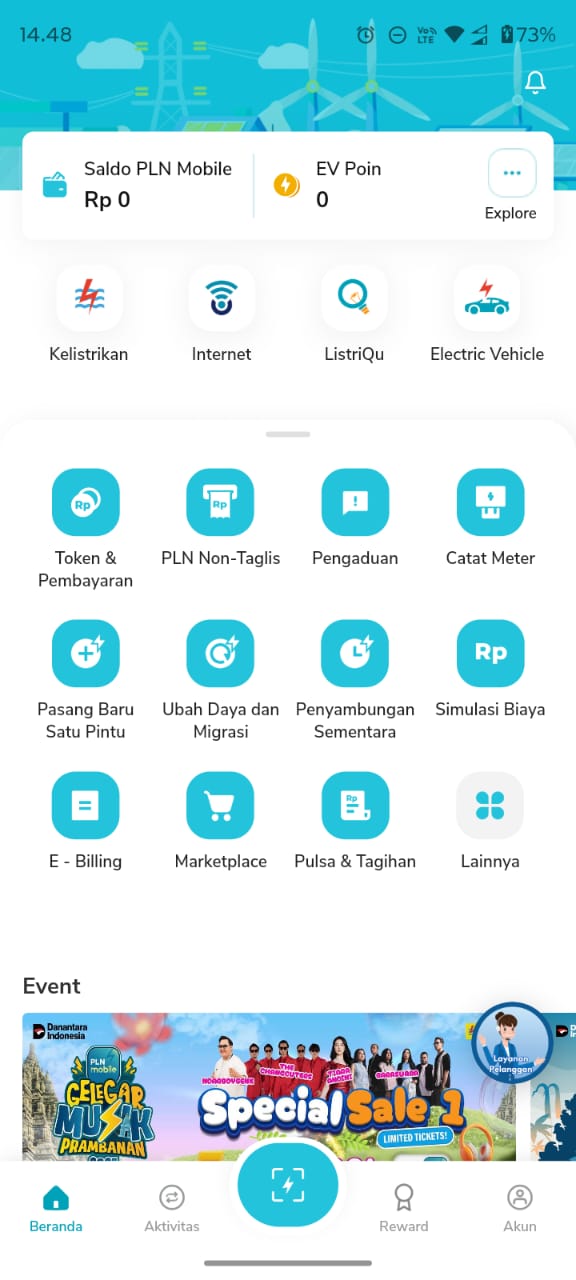
After logging into the PLN Mobile app, open the “Ubah Daya dan Migrasi” menu on the main page. This menu is used to change your power or migrate from postpaid to prepaid electricity (or vice versa).
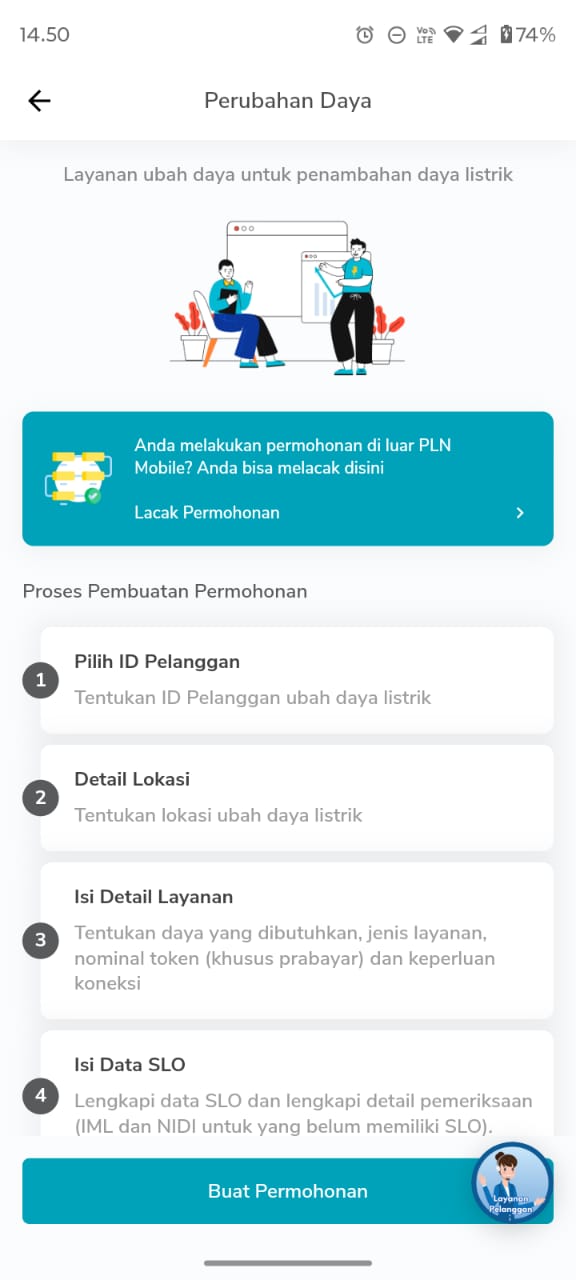
Once open, scroll down and press the “Buat Permohonan” button to start the process.
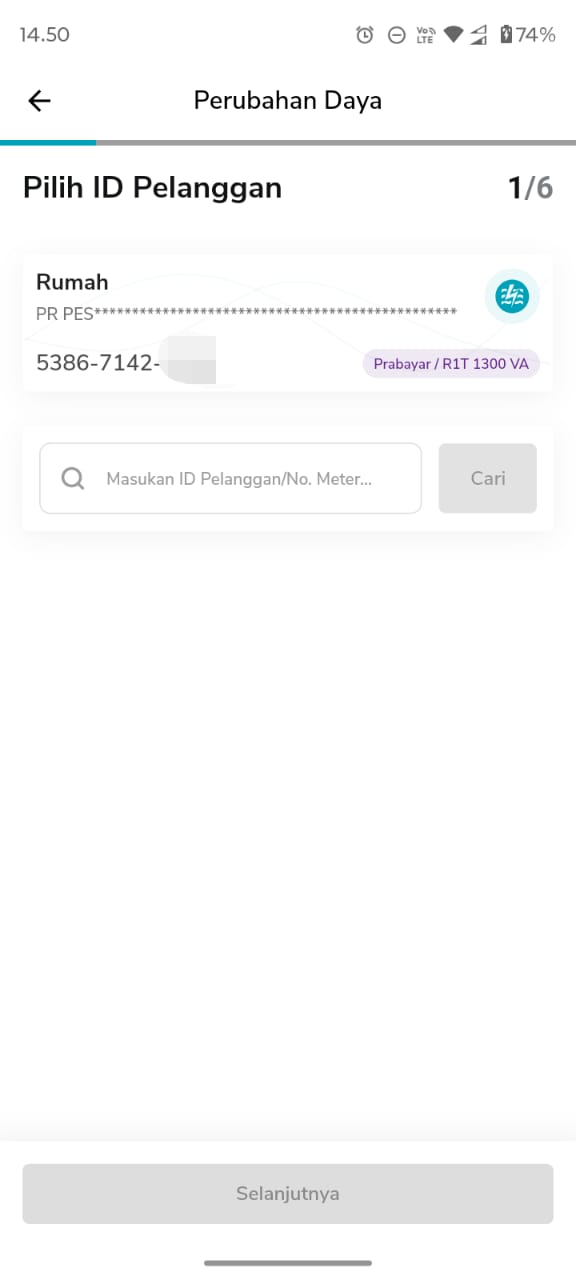
Next, select the Customer ID for which you want to increase the power. Make sure you select the correct electricity meter if you have more than one customer ID. After that, click “Selanjutnya” to proceed to the next step.
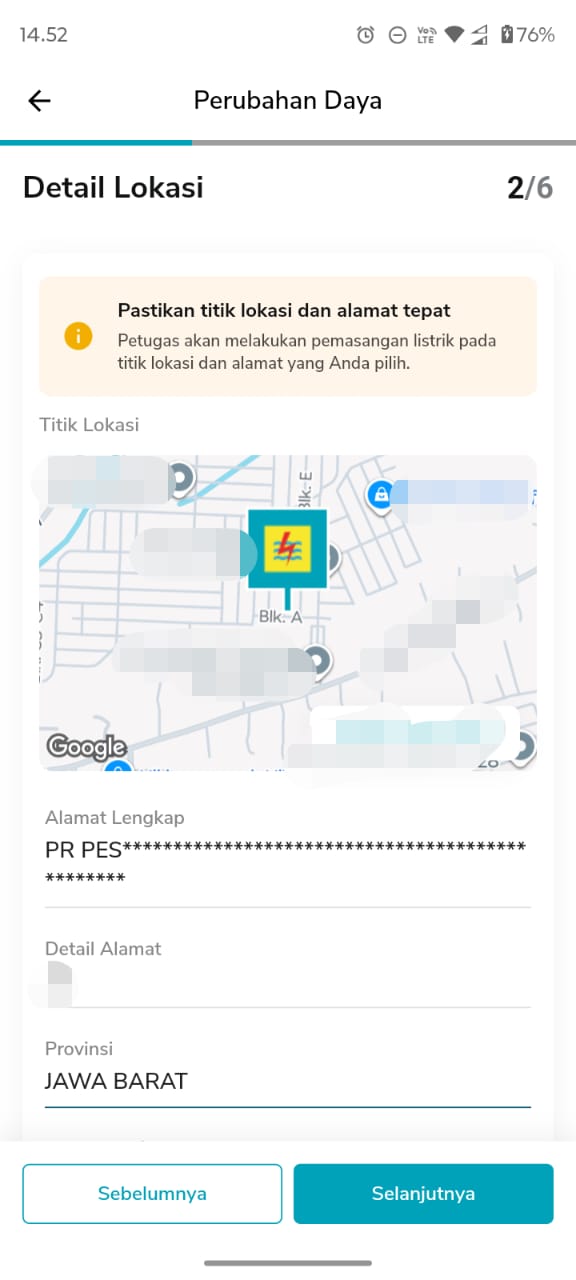
The app will display a map of your electricity meter's location. Make sure the location matches your home address. If it is correct, press the “Konfirmasi” button. Fill in the complete address details, such as street name, neighborhood association (RT/RW), sub-district, and district, then click “Lanjutkan”.
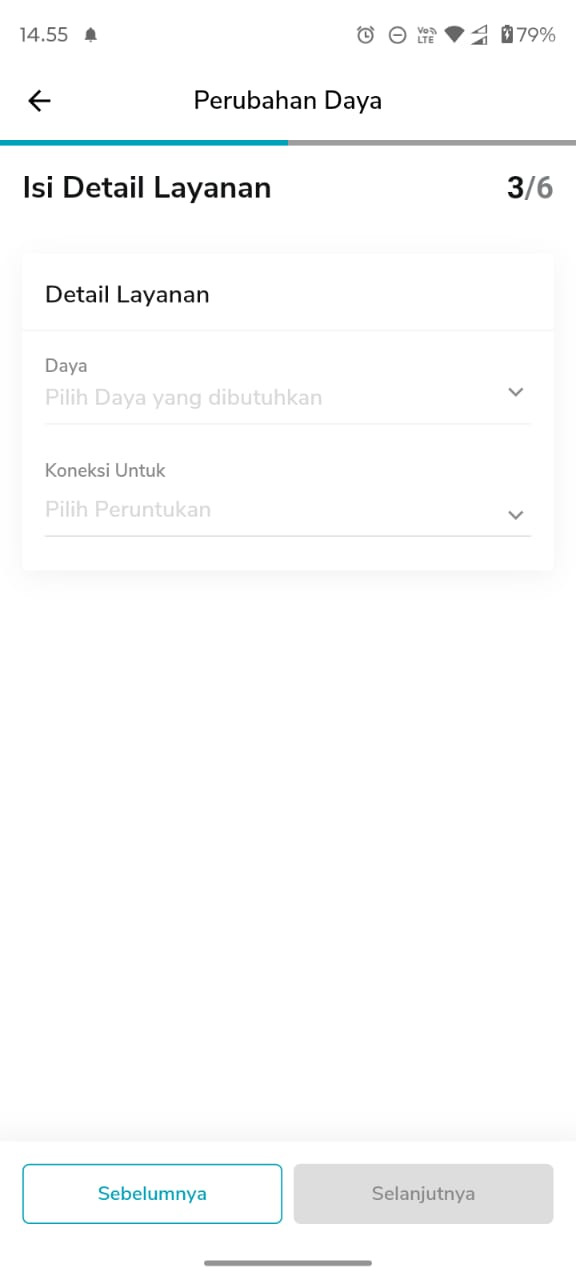
The next step is to determine the new electrical power according to your needs. For example: if you previously used less than 900 VA and often experienced MCB trips, you can increase it to 1300 VA or more.
In addition, select the type of service:
If you have a private home, select the “Rumah Pribadi” option in the connection section.
After that, press “Lanjutkan” to proceed with the process.
If you are a prepaid electricity user, you will be asked to select the initial token amount. Example: You can select a token amount of Rp5,000 for the first activation. Click “Lanjutkan” after determining the amount.
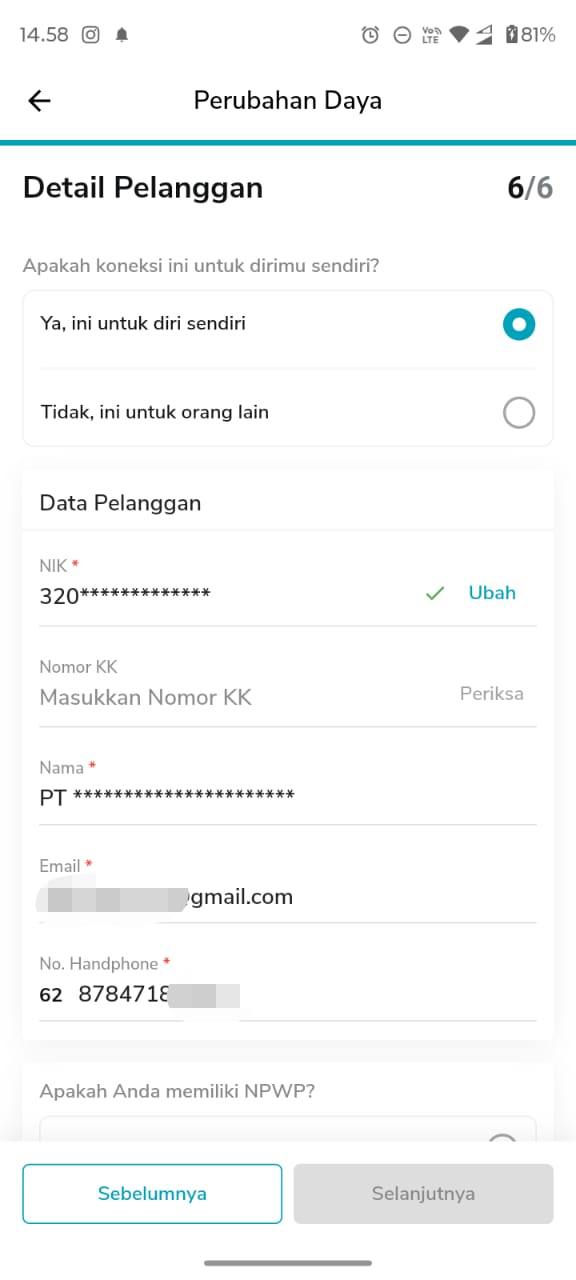
At this stage, complete the applicant's data with their name, NIK, and active mobile phone number. Ensure that all data is filled in correctly as it will be used for verification by PLN. Check the box “Saya setuju dengan syarat dan ketentuan,” then click “Lanjutkan.”
PLN sometimes offers promotions or discount vouchers for power upgrades, such as discounts of up to 50%. Select an active voucher to reduce the cost of the power upgrade. After that, click “Kirim Permohonan” to continue.
PLN will send a verification code to your email. Open the Gmail app, copy the code, then return to the PLN Mobile app and paste the code in the verification field. After that, press the “Kirim” button, then “Oke” to confirm.
After successful verification, you will be directed to the payment page.
Select your preferred payment method, such as:
As an example, if you choose BRI Virtual Account, copy the payment code that appears, then make the payment via ATM, mobile banking, or internet banking.
Once payment is complete, you can check the transaction status via the “Aktivitas” → “Riwayat Transaksi” menu in the PLN Mobile app. If the status is “Lunas”, it means your power upgrade request has been accepted.
The next step is to wait for a PLN officer to come to your home to conduct an inspection and replace the MCB according to the new power you have chosen.
Increasing your electricity power no longer requires a trip to the PLN office. Through the PLN Mobile app, the entire process can be done online, quickly, and transparently, from registration, power selection, to payment.
Following the steps above, you can upgrade your electrical power from 900 VA to 1300 VA (or higher) in just a few minutes.
Ensure your home's electrical installation uses high-quality cables from Wilson Cables to ensure stable, efficient, and safe electrical flow in the long term.
|
Wilson Cables is a trusted electrical cable brand produced by PT. Willson Surya Unggul, a cable manufacture company in Tangerang, Indonesia, which has been established since 1989. Since the beginning, we have been fully committed to producing high quality cables with a choice of products from building cables, automotive cables, audio cables, electronic cables, to cables for use. special.
|
Our Location
Jl. Veteran No.9A, Kadu Jaya, Kec. Curug, Tangerang, Banten 15810
 021-5986868 / 0856-8686868
|
Sitemap
|
Download Our Product Catalog
Download |

|


