
  |

|
 SHOP NOW SHOP NOW |

|
|

|
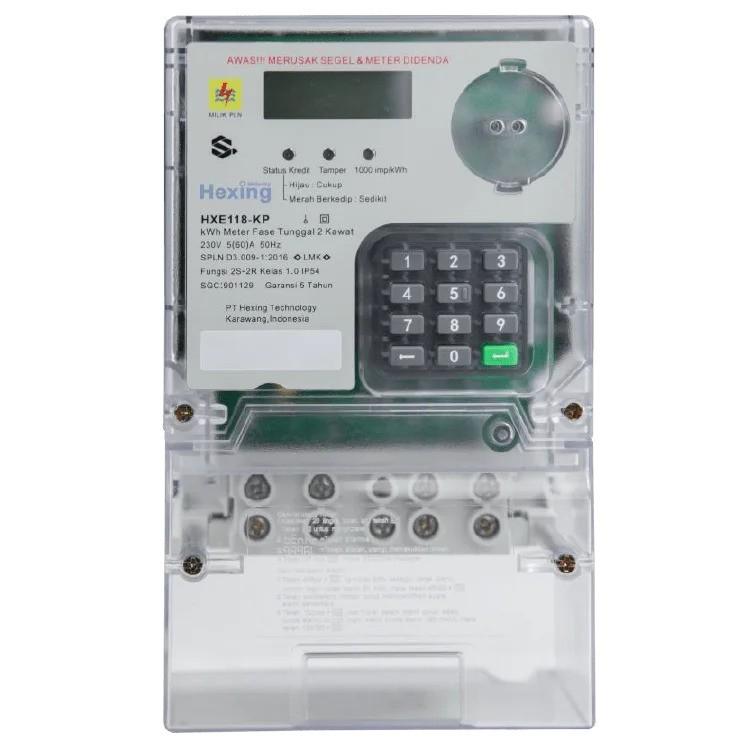
The word “CHECK” that appears on the electricity meter screen often makes homeowners feel worried and wonder about the cause and how to solve it. This warning message typically signals a potential issue with the electrical system that should not be ignored. In this article, we will thoroughly explain the common causes, solutions, and prevention tips to keep your home electrical system safe.
The “CHECK” writing can be caused by various electrical conditions that need to be identified and addressed immediately. Here are some of the most common causes that often occur:
Incorrect wiring during kWh meter installation is the most common cause of the “CHECK” message. This usually happens when the phase (+) and neutral (-) wires are swapped during initial installation or during modifications. The system then detects an irregular current flow and triggers an automatic warning.
Modern electric meters are equipped with safety features that display a warning if the terminal cover is open. This could happen during maintenance or due to tampering by unauthorized individuals. It is a preventive measure to protect the system from manipulation or damage.
Current leakage occurs when electricity deviates from its intended path, often due to damaged cable insulation or faulty components. Not only is this dangerous, but it also reduces energy efficiency. Sensitive meters will quickly display a warning message to prompt the user to investigate.
Improper installation of grounding cables that do not meet standards can cause the meter to misinterpret the power distribution. This commonly happens in older installations or when handled by uncertified technicians.
Loose cables, poor connections, damaged outlets, or faulty electrical devices can cause system instability. When the meter detects these issues, it automatically displays the "CHECK" message as an early warning, prompting a thorough inspection of the home's electrical system.
Once you understand the potential causes, here are the steps you can take to resolve the issue:
The first step you need to do is make an official report through the PLN Mobile application. Here are the steps:
After your report is verified, you will receive a 20-digit Clear Tamper Code. This code removes the "CHECK" message caused by minor disturbances.
Steps to use the code:
If successful, the "CHECK" message will disappear and the meter will return to normal operation.
Some meter models also allow the use of additional codes such as:
However, success varies depending on the cause of the issue. For a list of codes for other meter brands, refer to the provided source here.
If the problem cannot be resolved through reset codes, it likely involves technical damage requiring in-person inspection. In this case, a PLN technician will visit your location to check and perform necessary repairs..
Taking precautions, Wilson Cables emphasizes the importance of using national standard electrical components-especially cables for electrical installations. Low-quality cables increase the risk of current leakage or short circuits, which can trigger meter warnings.
Suitable for household or building electrical systems, we recommend using NYM or NYY cables from Wilson Cables. Our products are SNI and ISO 9001:2015 certified, made with 99.9% pure copper for stable current flow, and use high heat-resistant materials to ensure maximum protection from electrical faults.
Using high-quality cables and relying on professional installation, the risk of triggering the “CHECK” message is significantly minimized.
|
Wilson Cables is a trusted electrical cable brand produced by PT. Willson Surya Unggul, a cable manufacture company in Tangerang, Indonesia, which has been established since 1989. Since the beginning, we have been fully committed to producing high quality cables with a choice of products from building cables, automotive cables, audio cables, electronic cables, to cables for use. special.
|
Our Location
Jl. Veteran No.9A, Kadu Jaya, Kec. Curug, Tangerang, Banten 15810
 021-5986868 / 0856-8686868
|
Sitemap
|
Download Our Product Catalog
Download |

|


